


Everything your agency already sends and says flows into one organized, searchable record — no new app, no extra login.
Channel conversations are captured and tagged with the right route, stop, and department automatically.
Forward or send email to your agency inbox and it's sorted by channel, route, or topic without any manual filing.
Meetings become short, tagged takeaways instead of hour-long transcripts nobody rereads.
Coming Soon
We automate follow-ups on issues today, organize your project files for planning by route and stop, and document everything neatly so you can report fast to improve your public perception.
TransitChat runs inside Microsoft Teams and Outlook — no rip-and-replace, no new login for your team. It adds what Teams doesn't have on its own: route and stop tagging, a searchable long-term record, and accountability across agency, operator, and union.
 Microsoft Teams
 Microsoft Outlook
We're not trying to sign up as many agencies as possible — we're looking for a handful of transit agencies to partner with and build TransitChat around real-world workflows inside Microsoft Teams.
Every message, file, decision, and meeting takeaway is tagged with the route and stop it's about. Search once, and get back everything relevant — no matter which inbox, channel, or meeting it came from.
Detour agreement with Operations
Rider complaint: bus running 15 min late
Shelter repair assigned to Facilities
Route 23 shelter repair
On TrackOwner: Facilities
Winter detour plan
In ProgressOwner: Operations
Union safety review
Needs AttentionOwner: Union Rep
Assignments, deadlines, and status live in the open — so agencies, operators, and unions can see what's moving, what's stuck, and who owns it, and deliver projects on time without another status meeting.
Asana, Monday.com, and the rest are built for tasks. TransitChat is built for transit.
Send to one inbox — no manual filing, no manual updates.
Every message tagged by route, stop, and department — not another Kanban board.
A real timeline view, not decisions buried in comments or scattered across updates.
Cutting meetings is the whole point — not an afterthought.
We're looking for a handful of transit agencies to help shape it.
TransitChat runs on the same GTFS route and stop data your agency already publishes — so instead of typing tags or picking folders, every message, file, and assignment is automatically tied to the place it's about.
“This is the kind of thinking public transit needs right now.”
Otter, Zoom, and Teams will tell you who said what. TransitChat goes further — every meeting becomes a short takeaway, tagged with the route, stop, team, and project it's about, and filed where your team will actually find it again. No more scrolling an hour-long transcript for the one line about Route 23.
Federal reporting, audits, and grant compliance all depend on a complete history. TransitChat never deletes or auto-expires a message, decision, or file — every record stays tied to its route and stop, ready when you need it.
Retention Policy
Customer service, planning, executives, operators, and unions all work from the same tagged record — so accountability doesn't depend on who remembers to loop someone in.
Centralize your rider feedback and incorporate it into your planning and scheduling processes.
View what transit riders are complaining about and schedule out solutions with coworkers.
Stay up-to-date on rider feedback and what your staff are working on with a simple digest each morning.
Transit agencies, operations providers, and union representatives often see the same issue three different ways. TransitChat keeps a single, shared record of what was said, decided, and assigned — tagged by route and stop — so schedule changes and service decisions don't turn into finger-pointing.
No sales pitch — just a conversation about whether we're a fit for your agency.
No. TransitChat is built to work inside Teams — meetings, channel messages, and emails all live where your team already is. TransitChat adds the transit-specific structure Teams doesn't have on its own: route and stop tagging, cross-agency accountability, and long-term searchable history.
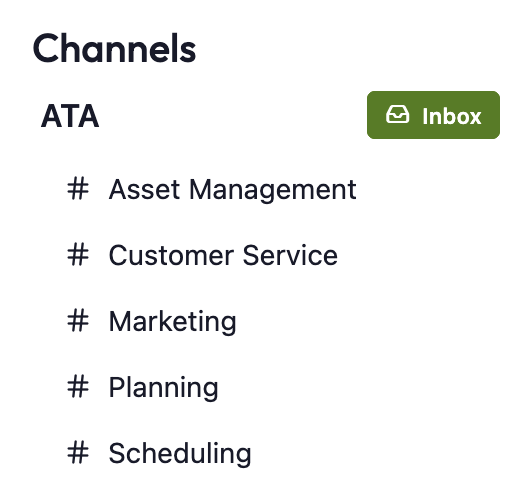
Inbox is a catch-all email environment for your agency. It acts as a shared digital workspace where staff can forward or send emails. TransitChat automatically organizes these messages by Channel, Route, or Topic, helping teams cut through clutter and focus on what matters.
Yes—by default, anyone can send to your agency’s inbox address. However, you can restrict access to approved senders, or filter inbound emails by sender domain or keyword-based routing.
Only logged-in users within your agency can view and participate in Conversation.
Yes. You can: let external partners send emails to your agency's Inbox; create guest accounts for limited platform access; and define custom rules for tagging and routing these emails to the right teams.
Public Streams are open monthly sessions hosted by the TransitChat team for all customers. We cover upcoming features, share usage stories, and host live Q&A. Private Streams are dedicated 1:1 sessions with your agency, where we review updates, implementation progress, and answer specific questions confidentially.
By consolidating threads into Channels and Topics, and linking them to Assignments, agencies using TransitChat report saving up to an hour per week per staff member.
Yes. TransitChat can ingest route and stop data from GTFS, which allows you to auto-tag messages by route, track service changes, and organize feedback geographically.
Security is our top priority. All data is separated by agency and users can only see their agencies' data. All of our vendors are SOC2 compliant and we are in the process of acquiring our SOC2 accreditation.